Browse by Solutions
Browse by Solutions
What are Documents and how do I use them?
Updated on November 20, 2020 03:52AM by Admin
Documents, along with notes, appear in nearly every application. This is important because it allows your employees, and you, to store documents & files in a sharable & organized manner. There are many excellent uses of the documents feature, such as storing sales proposals, project plans, contracts, standard procedural documents, or even project deliverables, such as reports, logos, design mock-ups, you name it! You can upload most file types and can store an unlimited number of documents on a single item (if you have available storage space). If you run out of space, you can always upgrade your membership plan or purchase space from the paid service store.
Documents work exactly the same across all applications, and will always be present in a similar “tabbed” layout. Clicking the Documents tab will reveal a listing of all previous documents, who uploaded them, and when they were uploaded
Steps to Upload, Download and Delete documents
For this example, I clicked on the Customers App and then viewed one of my customers.
- From a Customer Overview page, navigate to the "Documents" tab.

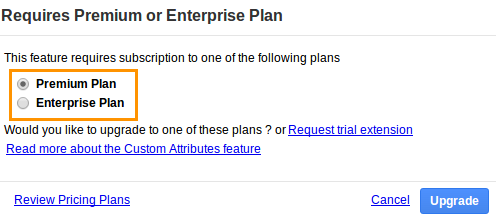
- If you are a Standard Plan user, you'll be notified to upgrade your plan to use this feature.
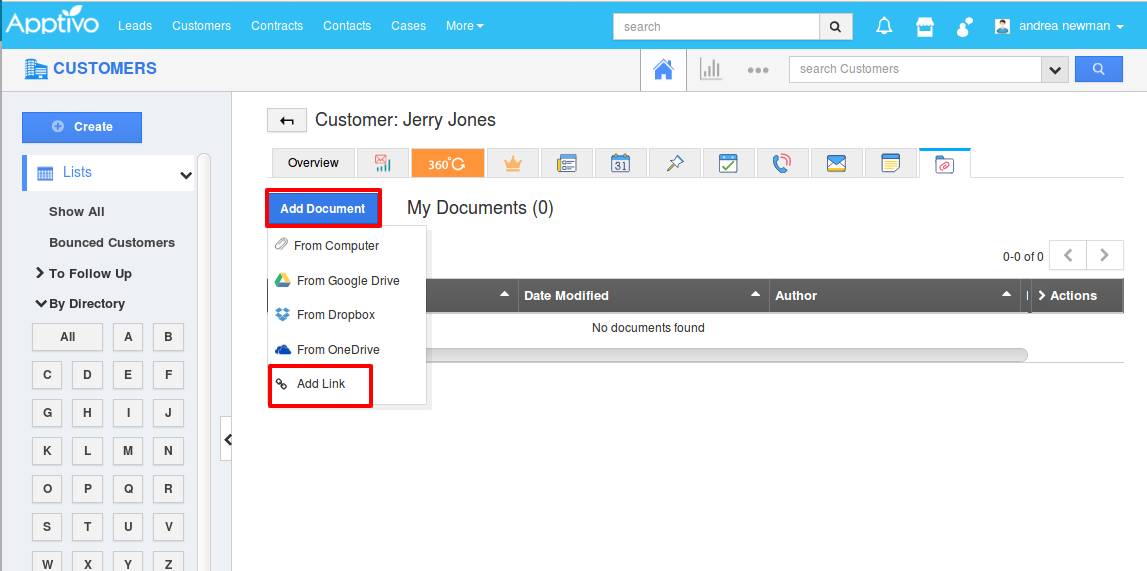
- If you're a paid user, then click on the “Add Document” button, select a file from your computer.

- You will get a drop-down from which you can add the documents as a link.
- You will get a pop-up from which you can "Add" the document and name it.

- Now any other employees (with access to this customer) can download the file by clicking on the “File Name” link.
- Next to each file name you have the option to download or delete the document, or you can send the document to the customer via email (if you have these services)

Note: You can access the Document URLs only if you have the access to the specific documents.
Related Links
Read more about: