Frequently Asked Questions
General
Support
Users
Integrated Apps?
Security & Privacy
Billing
Apptivo’s mission is to create an affordable and easy to use software for small businesses to run their business on and help them collaborate with their customers, partners and also compete against large competitors who may be much better equipped than them.
This is not an easy problem to solve — but one that we believe needs to be solved to help small businesses compete with the giants. We believe that the least we can do to help tomorrow’s economy is to level the playing field between large and small businesses in terms of the software they use to run their business on. We want small businesses that are the engine of economic growth, to have the same tools that large companies have.
In 5 years from now we would like Apptivo to become the preferred choice for small businesses and entrepreneurs to run their business on.
We realize that startups and small businesses need all the help from friends, well wishers and even strangers to make their businesses succeed. Every bit counts. We, ourselves have been helped by so many people. We are doing our bit by making our apps free to get started. We also don’t place any time bound restrictions on when you need to upgrade. You upgrade when you need.
So, any business can start with the Standard Plan that is free. As you grow, your needs grow. When you think it’s right, you upgrade to the paid plan.
The Standard Plan includes all the Apptivo apps and is provided completely free of charge. There are no limits on the number of users, amount of data and the duration you can be on the Standard Plan. A lot of powerful features and capabilities needed to run your business are available in this plan. Forum & Standard Email support are also included in this plan.
In addition to what is available in the Standard Plan, the Premium Plan includes:
For a detailed comparison between the plans, click here.
No that’s not needed. If you are just getting started, you should be able to navigate around the various Apps and get started with the ones that are most appropriate for your situation. There are videos that help you with getting started and a very active forum to get help. For questions that are not answered through the forum or videos, you can always contact us for support.
As your business grows, you may need additional help to get the best use from Apptivo.
Yes! We have a partner program which offers great recurring revenue opportunities. read more.
Apptivo is accessible through all mobile phones using the mobile browsers.
All our Apps started with Version 1.0. As usage increased and we got feedback, we’ve been incorporating them into the most popular apps and also rolling out several technology improvements. About 10 of our Apps are in Version 2.0 now and we have a release schedule for upgrading our other Apps as well.
We will continue to rollout improvements to our Apps based on user feedback and industry best practices.
We don’t have an automatic way of doing this now. If you have a specific need, please contact us at support@apptivo.com.
Apptivo works with FireFox, Chrome, Safari and Internet Explorer. We strive hard to keep up with browser releases, but there is generally a lag between a new release of a browser and when Apptivo is certified in that browser. If you have any specific questions on this, please check out forum or write to us at support@apptivo.com.
You can enter data in any language you want. All the field prompts and content is available only in English. You may be able to use browser translation tools to work on Apptivo using your choice of language. Click here to read more about regional language support.
All bugs are assigned a priority and addressed in subsequent releases. You don’t have to specifically pay for fixing a bug, although issues/bugs from Premium customers get a higher priority.
You can have an unlimited number of users in the Standard and Premium Plan. The Standard Plan is free for all users, while for the Premium Plan, you will be billed on a per user basis.
You create users using the Employees App. You can create as many employees as you want. When you create your employees, there is a checkbox called ‘Allow Login’. If you enable this checkbox, that employee can also access the applications that are assigned to him/her.
There is a ‘Roles’ section in the employee definition/maintenance page. You can assign the appropriate roles for each employee, which will ensure they have access to the appropriate apps and are prevented from accessing the other apps.
Several standard roles are provided for you when you register your business. If you have advanced needs, you can also create custom roles.
You ‘Terminate’ the employee using the ‘Terminate’ button in the employees App. Once an employee is terminated, they still remain in your employee records, but they cannot access your system.
Individual apps may seem to solve the only problem you may have on a given day really well. But they become a huge operational challenge when your business grows bigger and therefore your business processes become more sophisticated.
When your organization grows, apps that are integrated with each other will give you the strategic advantage you need. You can focus on what you need to focus the most — your business, rather than the complex, time consuming and expensive challenges of de-duplicating data and/or getting multiple disparate software or apps to talk to each other.
No, that is the beauty of Apptivo. You can get started with what you need. Apptivo is designed in such a way that you can start by solving your most immediate challenges and then use other apps as needed.
For example, if you are interested in using Project Management, you should be able to use just Project Management. Later on, when you want to create Invoices for the Projects you completed, you can start using Invoicing and when you are ready manage your customers, you can use the CRM family of apps.
We employ several levels of security to ensure that your data is safe and secure:
Communication Layer
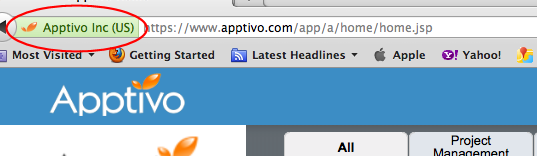
All the communication between your web browser or mobile client to the Apptivo data center is secured using 256 bit encrypted SSL connection.

What this means is that the data transported from your machine is encrypted using a special key and no one will be able to unencrypt your data.
Secure Firewalls
Once your data enters our Servers, we have multiple layers of firewalls that protect your data. These firewalls are built using state of the art hardware and software.
Operations Process
Access to this hardware is limited to a very few people who have an established track record of 10 years or more in managing data centers. All access to servers and data are logged and recorded for audit and verification purposes.
Data encryption
All sensitive information is encrypted before being in the stored in the database. So, even our operations engineers cannot read this data. The data is only unencrypted when you access them using your login credentials.
You can reset your password from the ‘Preferences’ section that can be accessed by clicking on your name that is placed to the top right hand side of your screen once you are logged in.
The billing starts when you decide to upgrade to the Premium plan. After that, your credit card will be charged on the same day every month.
No, they won’t be. You will be charged for Employees, who have the ‘Allow Login’ checkbox enabled during every billing cycle.
We will notify you when billing fails in any given month and will give you 7 calendar days to address the issue. If your payment is not received within 7 calendar days, your account will automatically be downgraded to the standard plan.
The billing for a new employee starts from the next billing cycle.
Yes, you can downgrade at any time. When you downgrade, you will still be able to access the premium features until the end of the current billing period. We won’t refund any portion of your fee, if you cancel midway through a billing cycle.
If you are paying for a subscription, you will first need to downgrade to the standard plan. Once you have downgraded, complete the short account deletion request form, and our team will complete everything for you.